
Branding and Design System
This document outlines the branding strategy, visual identity alignment, and integration of the GOV.UK Design System (GDS) and DfE Branding across the Financial Benchmarking and Insights Tool (FBIT).
As a service hosted on the education.gov.uk domain, FBIT is required to adhere strictly to department-wide visual standards. This includes the implementation of the June 2025 brand refresh across both the primary website and the ‘Shutter’ application.
Goals
Primary Goal
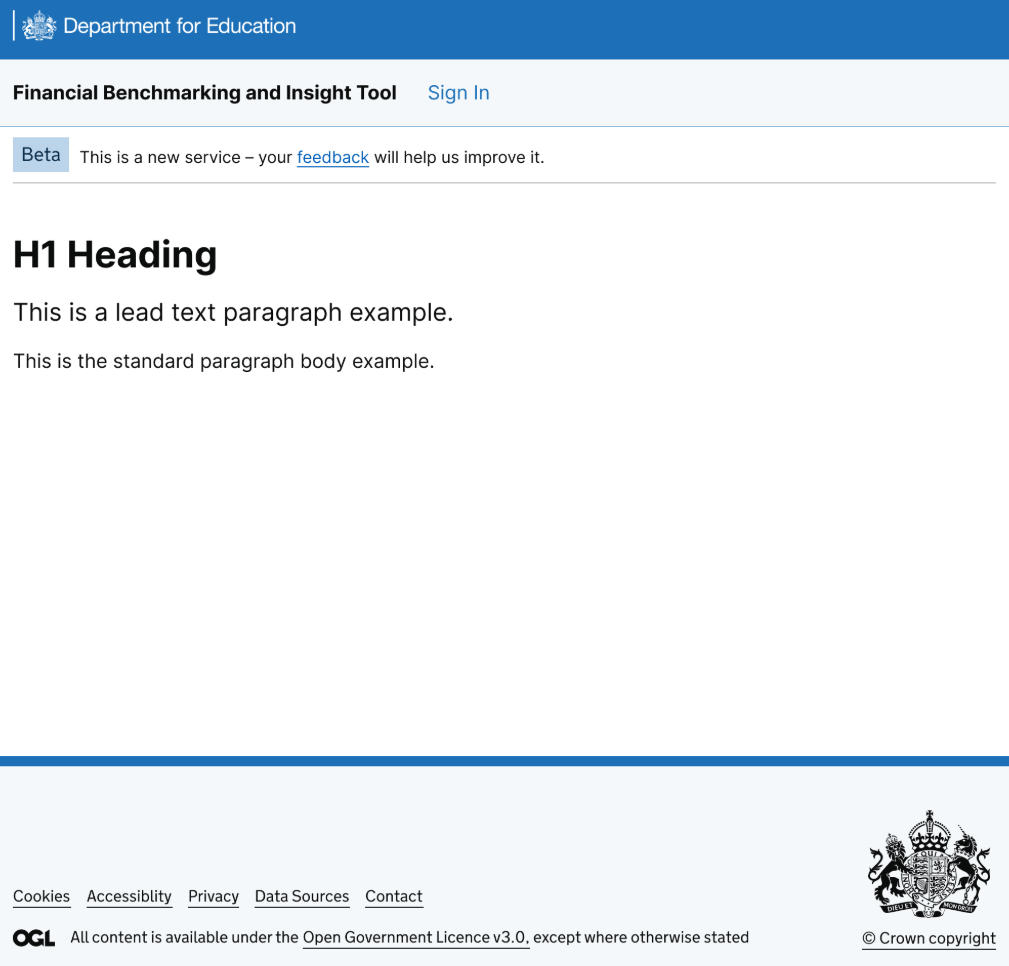
The service is fully branded according to the DfE design system.
Secondary Goals
Maintain interim branding compliance using the GDS June 2025 visual identity, while supporting progressively enhanced components and passing all automated accessibility and visual regression tests.
Brand Refresh Details
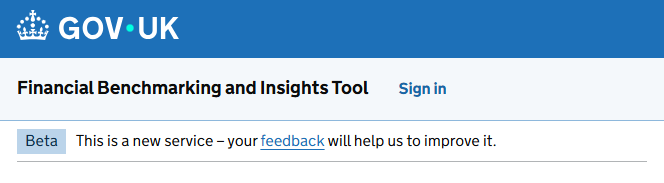
GDS Refresh
The GDS guidelines dictate the core layout and component structure. Updates applied include:
- Page template: Updated to the
v5.10.0CSS class. - Header: Integrated the refreshed Header component. This involved migrating the ‘Sign in’ and ‘Sign out’ elements from the global header to the Service Navigation component.
- Footer: Implemented the refreshed Footer.
- Assets: Synchronized fonts and images.
📅 The deadline for the GDS rebrand effort was 31 December 2025
DfE Refresh
The DfE guidelines build upon the GDS foundation, applying department-specific visual themes:
- Header: Customized according to the DfE header rebrand specifications.
- Footer: Removed the small left-hand crown logo to meet DfE standards.
- Typeface: Aligned typography with the DfE styles.
📅 The deadline for the DfE rebrand effort was 31 March 2026
Development Guidelines & Anti-Patterns
To ensure consistent application of the GOV.UK and DfE Design Systems, developers and designers must adhere to the following standards:
Component Priority (Anti-Pattern)
- Do not use custom CSS for styling that is already provided by the
govuk-frontendlibrary. - Avoid building custom components (e.g., dropdowns, inputs, or tabs) if native HTML elements or existing GDS components can fulfill the requirement.
- Semantic HTML must never be compromised for visual flair; accessibility is a fundamental priority.
Dynamic Content Rendering
For content managed via the database (such as Service Banners), Markdown is converted to HTML at runtime.
- Use the
GdsMarkdownExtension(via themarkdiglibrary) to ensure that GDS classes (e.g.,govuk-link,govuk-list) are applied to the generated HTML nodes. - This ensures that even user-generated or content-managed text maintains visual consistency with the rest of the service.
Design Standards Compliance
- Service Standard: Every technical implementation must align with the GDS Service Standard, which is a hard architectural constraint for this project.
- Sortable Tables Exception: While standard GDS patterns are preferred, sortable table headers in this service use
<button>elements styled as links. This is a deliberate design choice based on MOJ (Ministry of Justice) patterns and user research into table interactivity.
Accessibility
All UI changes must be verified against WCAG 2.2 AA standards. Automated accessibility testing is mandatory for every pull request.
Technical Implementation Details
Prerequisites & Dependencies
The service requires govuk-frontend version 5.10.0 or higher to support the June 2025 branding.
Important Note on DfE Frontend:
The DfE Frontend npm package (dfe-frontend) must not be used. This constraint is in place because:
- The service does not consume specific DfE components like Card or Filter.
- The package conflicts with the latest GDS features (e.g., incompatible type scales).
- The repository and package have not been updated since May 2024.
Instead, assets and CSS modifications should be applied manually by following the DfE header rebrand guidelines.
Component Initialization (Vue.js and GDS Conflicts)
The move of the Sign in/out button to the Service Navigation component introduces a responsive view that collapses into a drop-down menu when JavaScript is enabled.
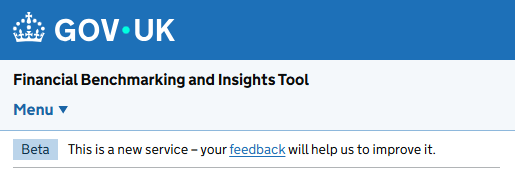
This requires every server-rendered view to register GDS components using initAll() in _Layout.cshtml. This global initialization can conflict with the mounting of front-end (Vue.js) client-side components, resulting in console errors such as:
InitError: govuk-accordion: Root element (`$root`) already initialised
    at _Accordion.checkInitialised (govuk-frontend.js:150:13)
To resolve this issue, the progressive enhancement pipeline must implement one of the following strategies:
-
Scope the initialization: Add a specific scope to the
initAll()function within the front-end components.initAll({ scope: rootElement }); -
Load Order: Ensure the custom
front-endmodule is loaded sequentially aftergovuk-frontend.
Alternatively, developers can scope the Service Navigation component directly in the _Layout.cshtml call to initAll() and target specific elements (e.g., <main>) on individual pages that require additional GDS components.
Known Issues
- Vite Dev Server Lifecycle: The
already initialisederror mentioned above may still occur when running the Vite dev server locally. This is by design due to React/Vue lifecycle events running multiple times in strict mode during development. This does not occur in production builds. - Test Fragility: Moving the location of the Sign in/out buttons to the Service Navigation component may break existing End-to-End (E2E) and integration tests.